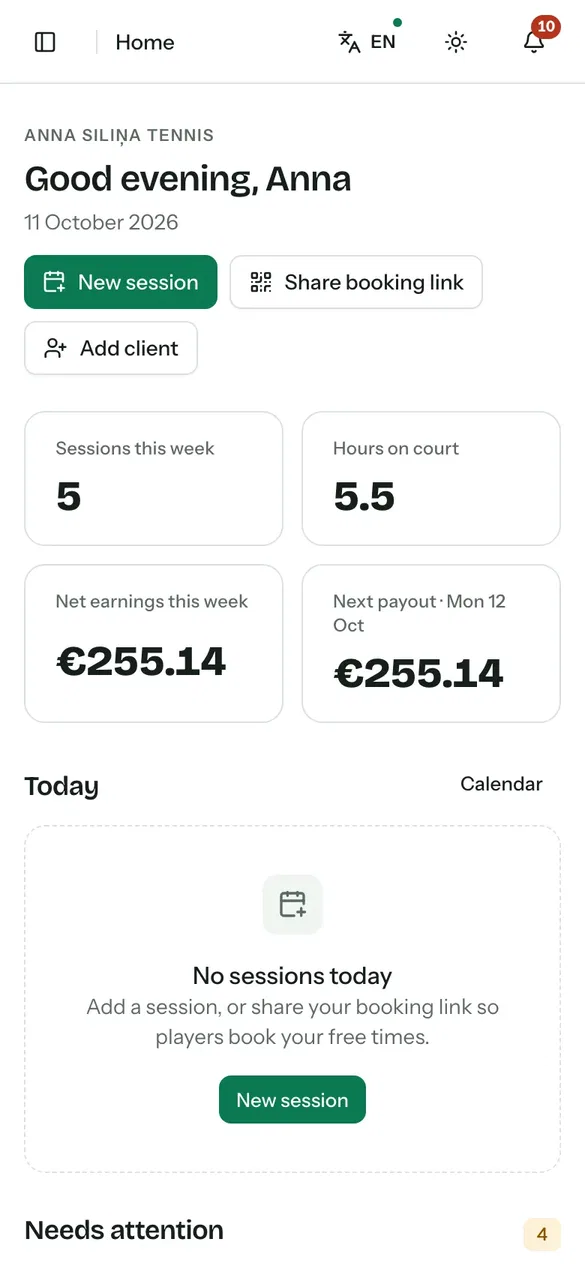
Your booking page, lesson calendar, client information and payments in one place. Manage lessons, packages and club partnerships so you can spend more time with your players.
TodayLesson bookings arrive through texts, calls and separate conversations.
With PlayRendoPlayers book available times on your page, and every lesson appears in one calendar.
TodayYou chase payments after every lesson.
With PlayRendoPlayers pay when they book, buy a lesson package or receive a monthly invoice.
TodayClub details, court fees and client notes are stored separately.
With PlayRendoKeep partner club details, court fees and client notes in one workspace.
01 / 05Your page
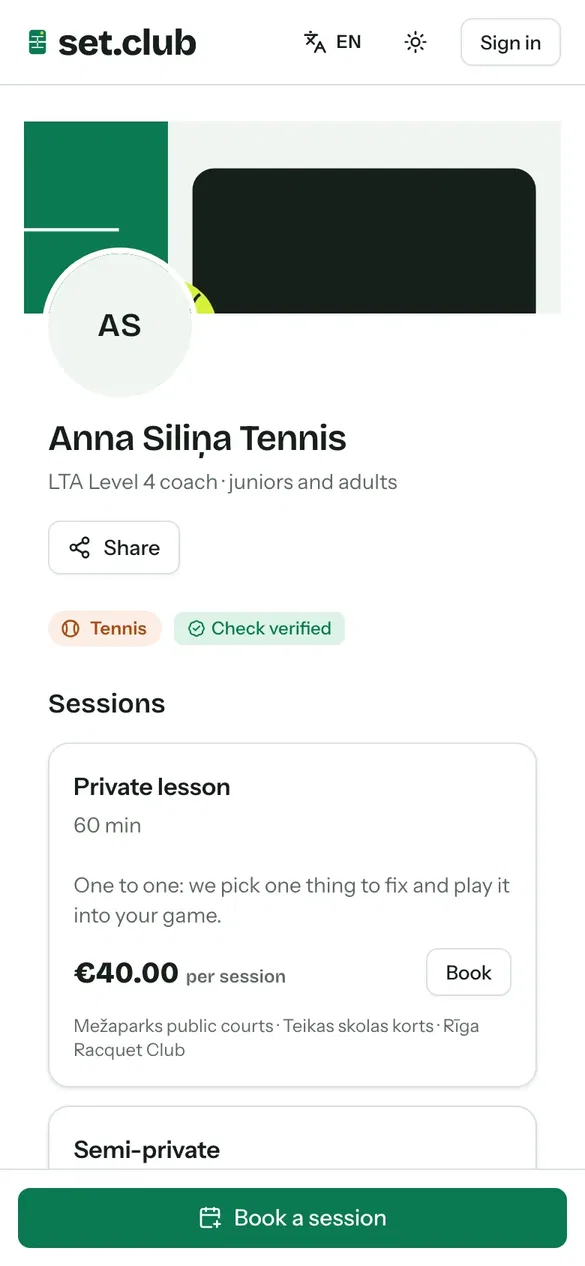
Yourownlessonbookingpage
Create your coaching page with your sports, locations, lesson types and prices. Share one link so players can view available times and book a lesson.
Private, semi-private and group lessons, plus level assessments
PlayRendo's suggested prices, or your own
Prepaid lesson packages
Booking requests for you to approve
02 / 05Your calendar
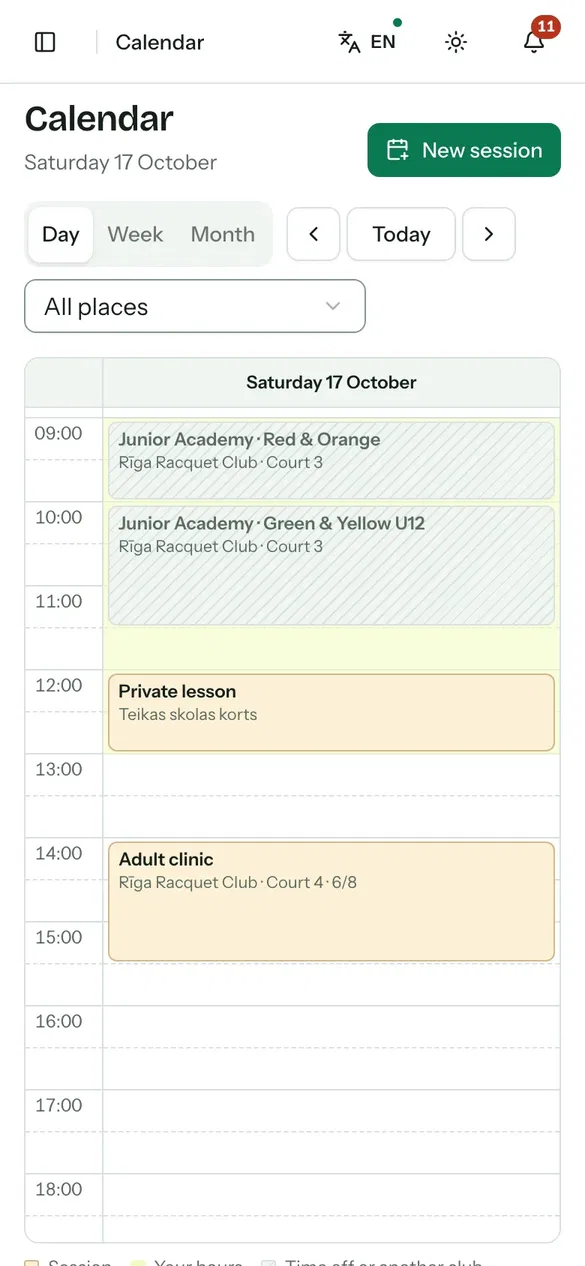
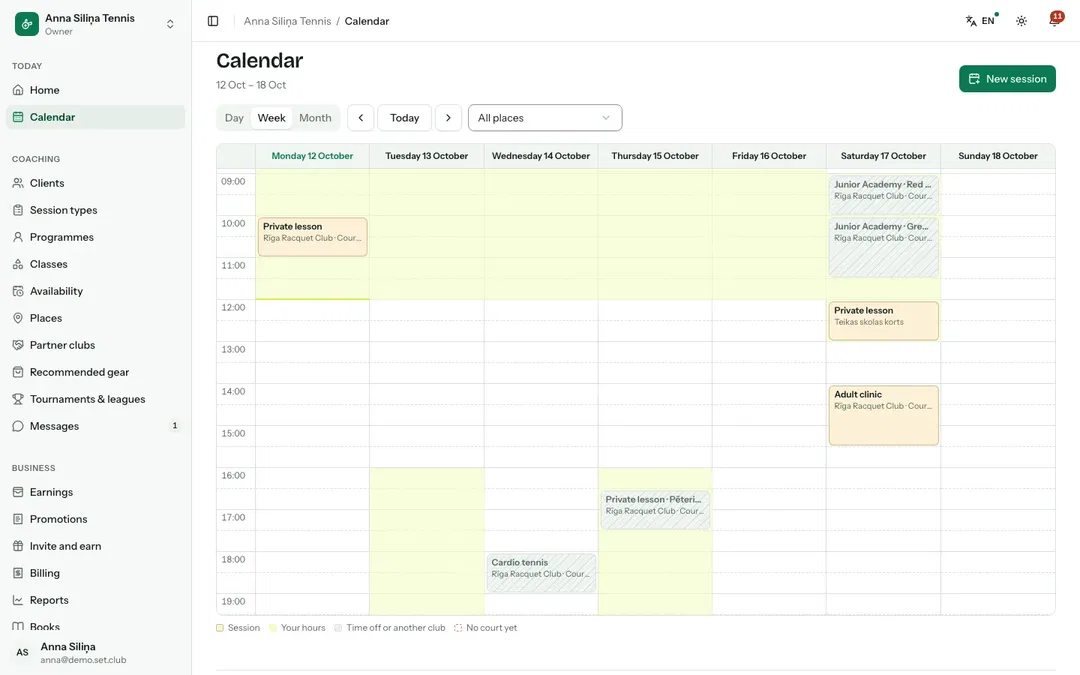
Everycourt,onecalendar
Add your coaching locations, including public courts, your own courts and partner clubs. Set your availability at each location so players can book times that fit your schedule.
Day, week and month views, with drag-and-drop rescheduling on desktop
Notify participants when rain cancels a lesson
Block bookings during time off
No double bookings of your own courts in PlayRendo
03 / 05Your clients
Knoweveryplayer
View each client's level, lessons, packages, payments and linked family members in their profile. Add notes after a lesson and choose which ones to share with the player.
Attendance tracking for every lesson
Notes kept private or shared with the client
Assess each new client's playing level
Parents book and pay for their children
04 / 05Partner clubs
Coachatpartnerclubs
Send a club a partnership request. The terms set the courts, hours and court fee. When a player pays through PlayRendo Payments, the court fee goes to the club, PlayRendo's commission is deducted and the rest is yours.
Include the court fee in your lesson price or add it separately
The club sees your lessons on its schedule
Either side ends a partnership with the notice period in its terms
Lessons for under-18s only with a verified criminal-record check
05 / 05Classes
Groupbookingsmadeeasier
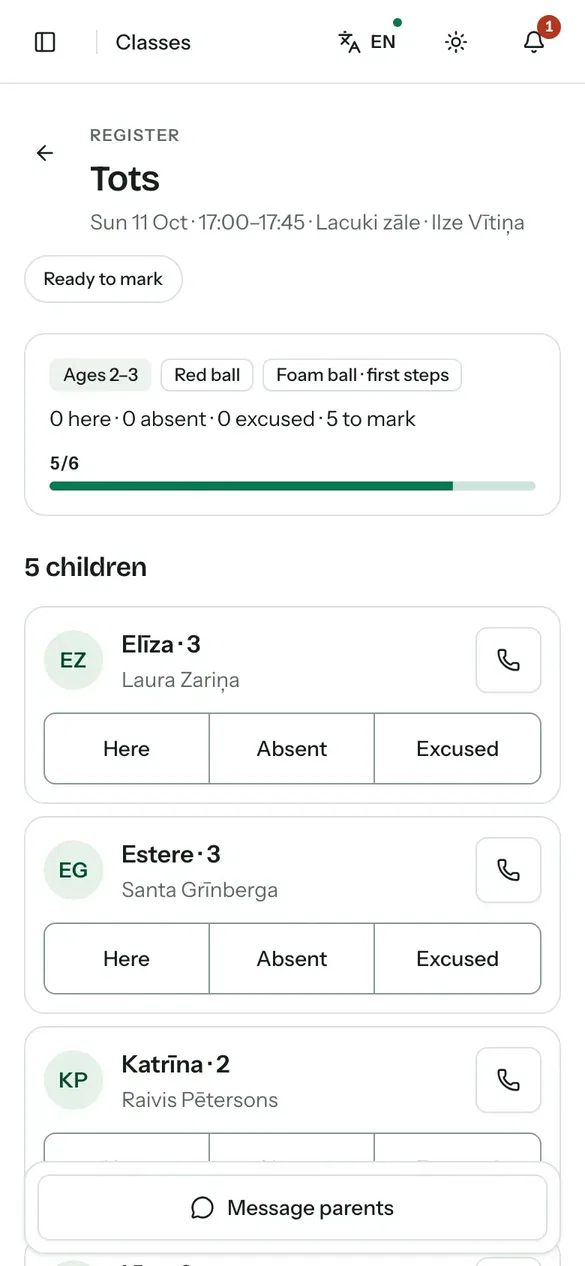
Set class capacity and age groups, accept bookings and manage the waitlist. Parents can book individual dates or a recurring weekly schedule, and you can record attendance on your phone.
Capacity, age bands and waitlists
Weekly sign-ups and class rules
Mark attendance as present, absent or excused
A group chat with everyone in the class
Payments and bookkeeping
Aclearviewofyourpaymentsandearnings
For each paid lesson, see the amount paid, the court fee, PlayRendo's commission and your share. Payments are posted to your books automatically.
PaidBy card, online banking, bank transfer or in person
RecordedTransactions recorded with precise amount allocation
PostedAn automatically prepared journal entry
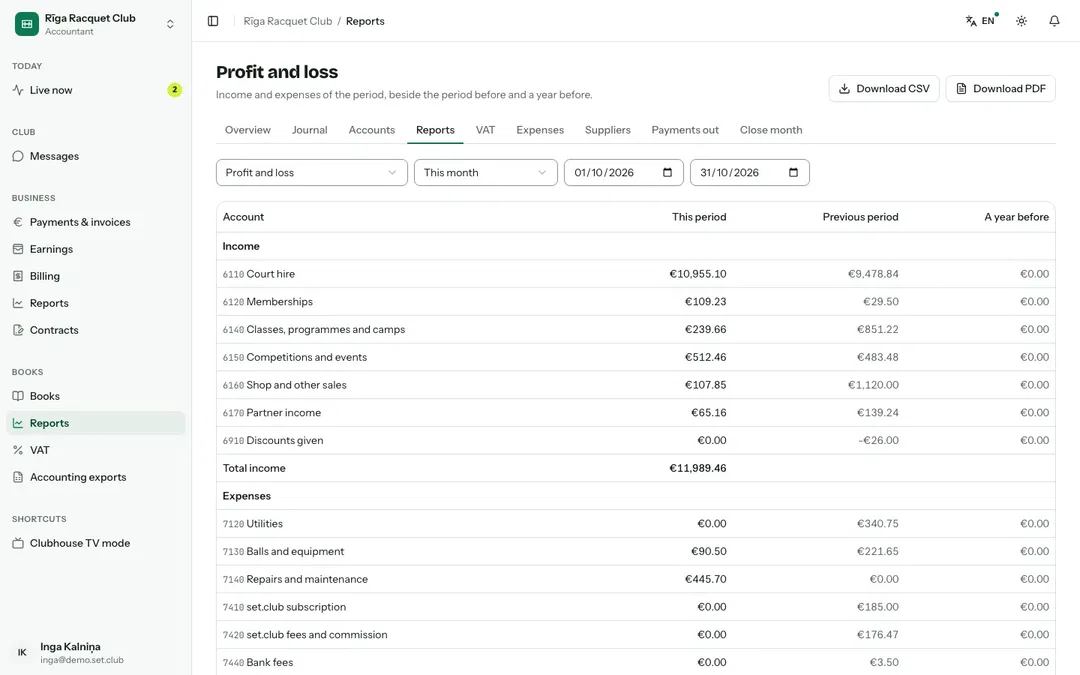
ReportedProfit and loss, VAT and the cash book
Handed overYour accountant accesses the system or receives exported data
Flexible ways to pay
By card in the app through PlayRendo Payments, your own Stripe account or another supported provider, or in person.
Packages and invoices
Offer prepaid lesson packages or send each family a monthly invoice with a payment link.
Weekly payouts
With PlayRendo Payments, your balance is paid out every Monday and you get a statement each month. Small balances carry over to the next payout.
Track expenses from your phone
Add photos of receipts for balls, strings or travel and track your expenses by month.
Automated payment records
Payments, refunds and payouts are recorded in the journal. Use profit and loss statements and VAT reports to support your bookkeeping.
Ready for your accountant
Give your accountant their own access, or export monthly data for use in Jumis, Horizon, Zoho or Xero.
Inoneapp
Your page and your calendar
Clients, classes and partner clubs
Payments, payouts and bookkeeping
Getstartedinthreesteps
Create your workspace. Add your sports, coaching locations, lesson types and prices.
Share your link. Send your booking link to players or add it to your profile.
Coach. Manage bookings, payments and notes across your coaching locations.
Start with the free plan and change plans as your needs change. Subscription prices are monthly and exclude VAT.
Coach Free has no monthly subscription fee; PlayRendo takes a commission on paid lessons instead, lower for clients who come through your own link, QR code or invitation. On paid plans, paying yearly gives two months free.
Frequentlyaskedquestionsforcoaches
How much does PlayRendo cost for coaches?+
Coach Free has no monthly subscription fee, but a commission applies to paid lessons, lower for clients who come through your own link, QR code or invitation. Coach Pro and Coach Team are paid subscriptions with lower commission rates. Prices exclude VAT.
Can I coach at a club and at public courts?+
Yes. Add every place where you coach. At a partner club, the terms set the courts, hours and court fee; when players pay through PlayRendo Payments, the club's court fee is passed on to it automatically. At a public court, booking depends on that venue's own rules.
How do players pay me?+
Choose the payment methods you offer: card payments in the app through PlayRendo Payments, your own Stripe account or another supported payment provider, bank transfer or payment in person. On Coach Pro and Coach Team, you can import bank statements and match payments to invoices.
Can I coach children?+
Yes. Parents book and pay for their children and complete the consent forms. You can take bookings for players under 18 only while your criminal-record check is verified by PlayRendo or a partner club's welfare officer and still in date.
Do I still need an accountant?+
PlayRendo automates payment records and prepares financial reports. Whether you need an accountant depends on your business and reporting requirements. You can give your accountant access or send an export of your monthly data.
Can other coaches work in my workspace?+
Yes. Assistant coaches can view their own lessons and attendance registers. Coach Team also includes a team calendar and shared client records.
Forclubs,coaches,playersandparents
Choose your role to see how PlayRendo can support your day-to-day activities.
Necessary cookies keep you signed in, protect forms and remember your choices. With your consent, we also keep an invitation link for 30 days so that a new account is linked to whoever invited you. We do not use advertising or analytics cookies.