One system foryour academy's classes,coaches and families.
Manage classes at partner clubs, school halls and public courts in one system. PlayRendo brings together schedules, coaching teams, family communication and invoices across your training venues.
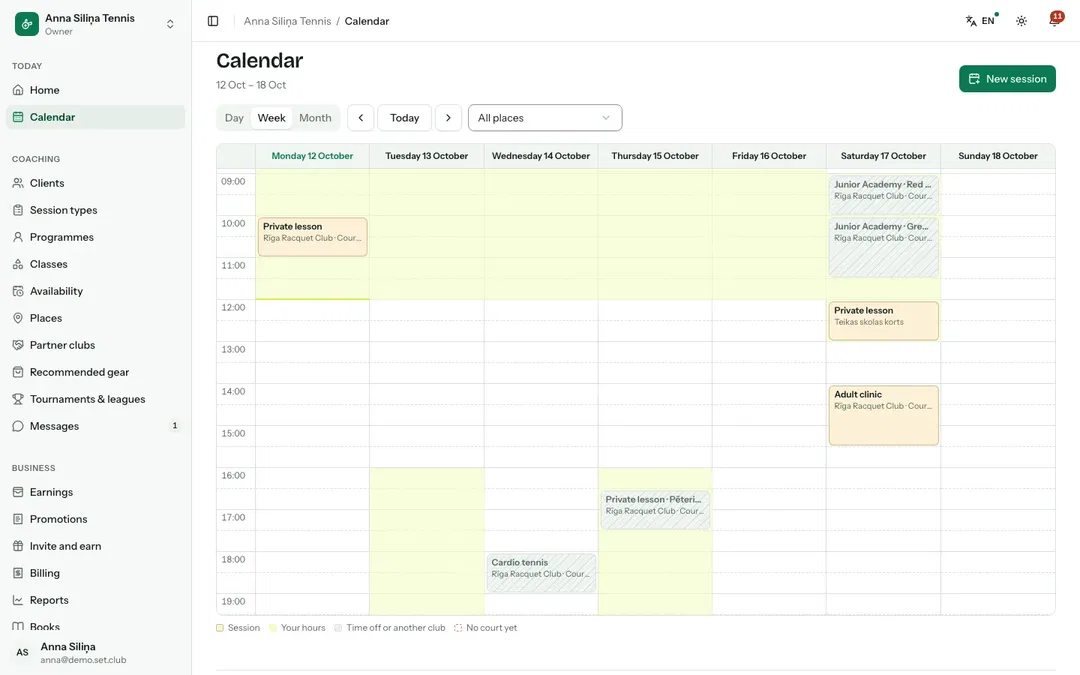
With PlayRendoClasses across all your training venues appear in one calendar.
TodayParents ask who, where and when, every single week.
With PlayRendoParents can view the schedule, book selected dates or regular classes, and receive updates when plans change.
TodayInvoices take the first weekend of every month.
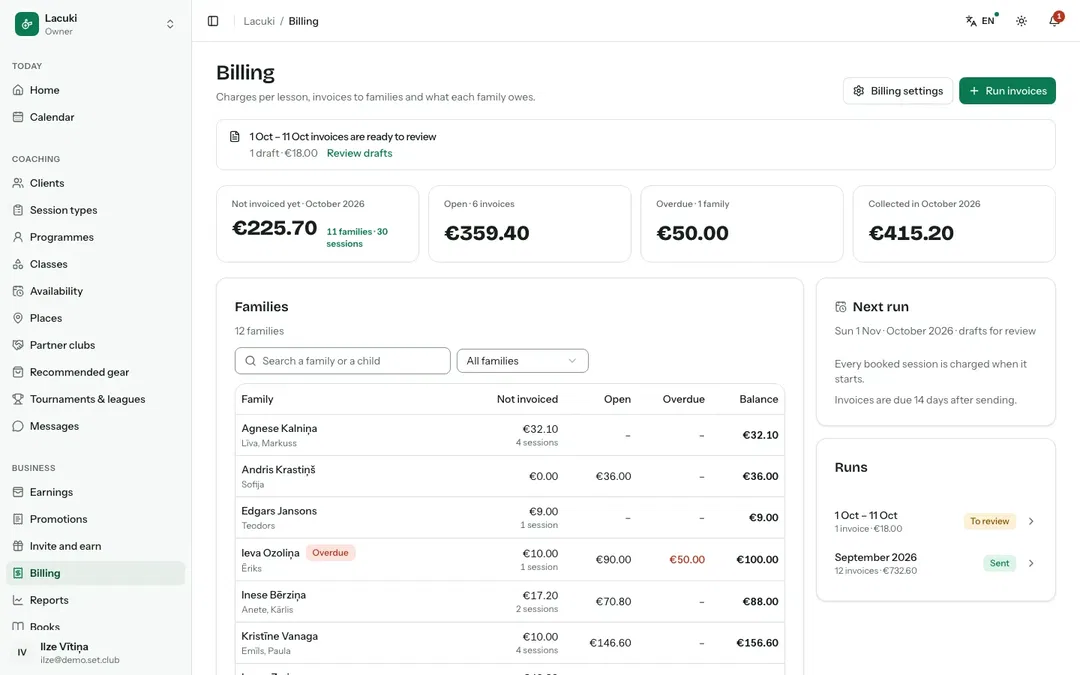
With PlayRendoPrepare and send invoices to all families together, each with a payment link.
01 / 05Places
Allyourtrainingvenuesinonecalendar
Add your own courts, school halls, public courts and partner clubs. Each class shows where it takes place, and PlayRendo holds a court for every session at your own courts, so they are never double-booked in PlayRendo.
Own courts, public courts and partner clubs
Weekly class schedules by venue
Family notifications when classes are cancelled due to rain
Addresses and notes for parents
02 / 05Partner clubs
Courtaccessonagreedterms
Agree court access, booking times, fees and who pays them with each partner club. For sessions paid through PlayRendo Payments, the partner club's court fee is paid to it automatically.
Requests, terms and notice periods
Monthly reports on sessions and court hours
Court fees managed under your partnership terms
Clubs see your sessions on their schedules
03 / 05Classes
Classesparentscanbook
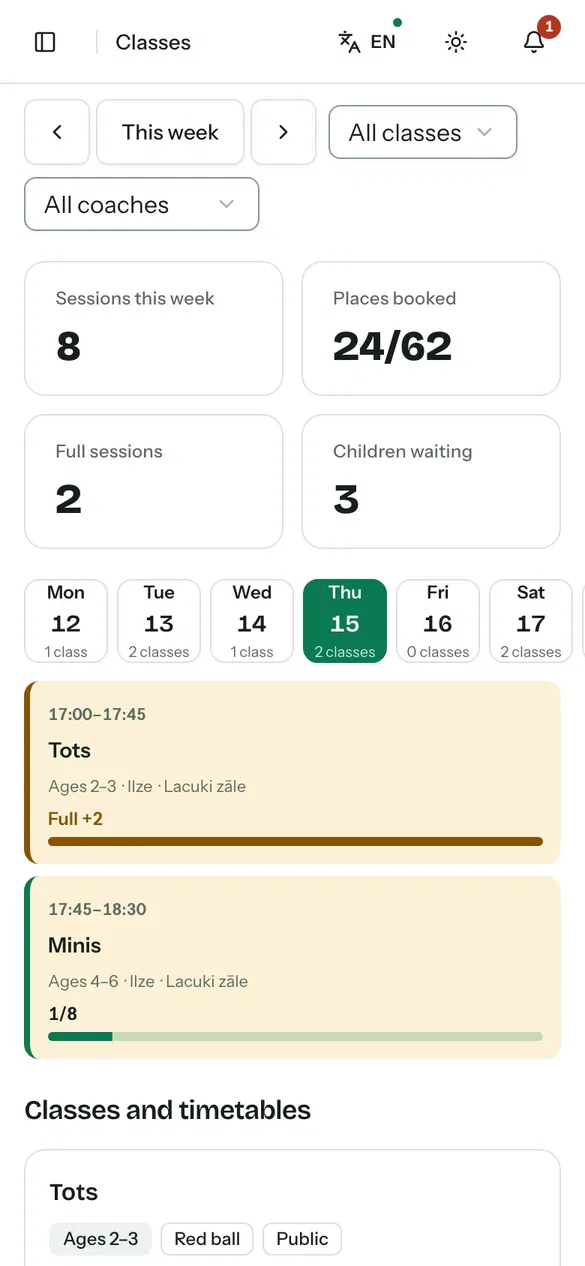
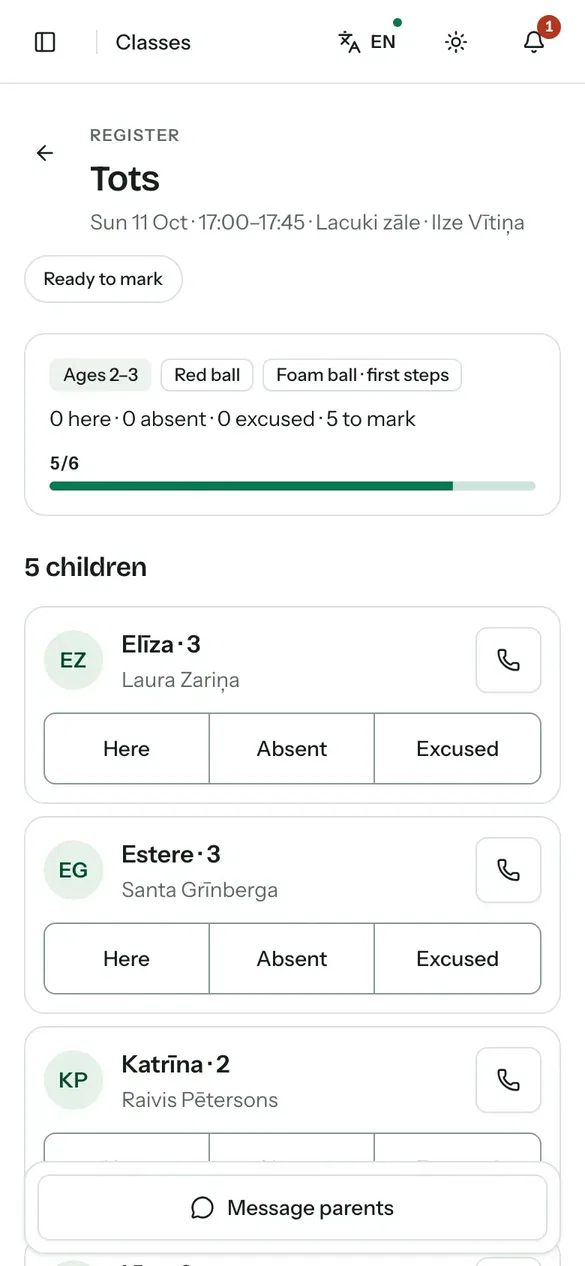
Publish open classes with capacity limits, age groups and a waitlist. Parents can book selected dates or regular weekly classes, while coaches record attendance on their phones.
Age bands and class rules
Automatic promotion from the waitlist when a place opens
Programme and camp planning
SMS reminders for families who opt in
04 / 05Coaches
Asharedscheduleforyourcoachingteam
Each coach can view their sessions and attendance records. Coach Team includes a shared team calendar and client management. Freelance coaches get a monthly fee statement, prepared from their contract terms, to confirm in the app.
Separate access for assistant coaches
A team calendar and shared clients
Junior bookings open once a coach's check is verified
Monthly coach fee statements
05 / 05Families
Parentsintheloop
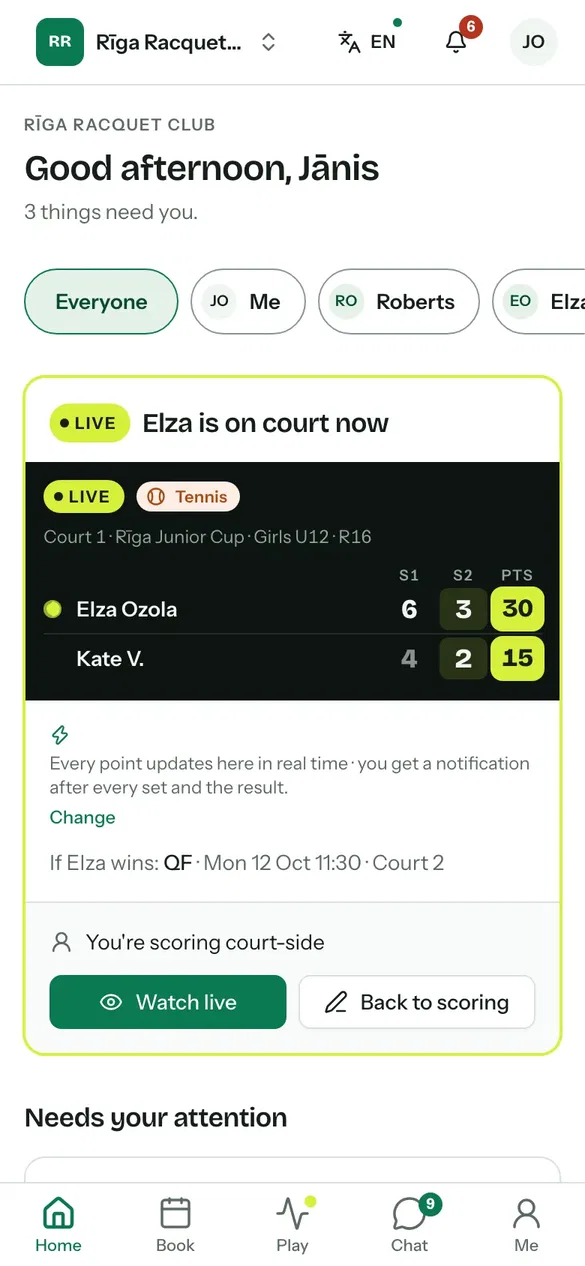
Parents add their children's profiles, give the consents the club asks for and provide health information relevant to training. Coaches can open a child's medical details from the class register, and every view is logged for the welfare officer. Parents can follow live match scores and pay invoices using payment links.
Parental consents and health information with access logs
Parent agreements signed in the app
Communication with children through parents or guardians
Notifications for each child
Payments and bookkeeping
Fromattendancerecordstoinvoicesandpayments
Calculate charges from attendance records, lesson packages and discounts. Prepare family invoices together and connect received payments to your accounting records.
PaidBy card, online banking, bank transfer or in person
RecordedTransactions recorded with precise amount allocation
PostedAn automatically prepared journal entry
ReportedProfit and loss, VAT and the cash book
Handed overYour accountant accesses the system or receives exported data
Session charges and family billing
Calculate charges from attendance records, using your configured discounts and fee waivers.
Monthly batch invoicing
Check the drafts, then send them all at once, with PDFs, reminders and credit notes.
Paid by link or by transfer
Families can pay by card through the invoice link or by bank transfer. Import bank statement data to match received transfers to invoices.
Family billing statements
Parents can see paid invoices and outstanding balances, then download a billing statement as a PDF.
Court fees and coach fees
Partner clubs get their court fees, and freelance coaches their monthly statements.
Accounting records and accountant access
Transaction records, profit and loss reports by programme, coach or venue, and data exports for use in Jumis, Visma Horizon, Zoho Books or Xero.
Inoneapp
Places and partner clubs
Classes, coaches and families
Invoices, payments and books
Readyfortheseason
Create your academy profile. Add your sports, training venues and classes.
Invite coaches and families. Assign access to coaches and send parents a joining link or code.
Start your classes. Track attendance, invoices and payments throughout the season.
These plans support coaching programmes and team management. If you also want to manage a playing community and its events, you can choose a club without courts during setup. Choose annual billing on a paid plan to save the equivalent of two months' subscription fees.
Your first year with no subscription fee
The first 20 clubs can use PlayRendo for one year with no subscription fee and with every feature. The platform fee on card payments still applies. Our team switches your club to the offer after it is created.
No. Add your training venues, including partner clubs and public courts. You manage partnership terms and court fees with partner clubs; for sessions paid through PlayRendo Payments, their court fees are paid automatically.
How do parents pay?+
Parents can pay by card when booking a class or through a monthly invoice link, or by bank transfer. Imported bank statement data lets you match received transfers to invoices. You can also work without online payments.
Can we invoice companies or schools?+
Yes. Invoices can include your business and VAT details. Invoices to companies can be downloaded in the structured Peppol BIS Billing 3.0 e-invoice format (XML).
How does PlayRendo support child data protection and safeguarding?+
Junior sessions take bookings only after the coach's safeguarding check is verified by PlayRendo or a partner club's welfare officer. Every view of a child's medical details is logged, children's profiles never appear in member directories, and messages to children follow junior rules.
Does PlayRendo support working with freelance coaches?+
Yes. Each month PlayRendo prepares a fee statement from each freelance coach's contract terms for the coach to confirm. Once the club approves it, it goes into your accounting records.
What are the terms of the first-year offer?+
The first 20 clubs to join pay no subscription fee for their first year and get every feature. The platform fee on card payments still applies. We switch your club to the offer once it is created and remind you before the year ends; then you choose a plan or move to the free plan. Changing plans does not delete your club's data. Partner clubs may get a longer period.
Forclubs,coaches,playersandparents
Choose your role to see how PlayRendo can support your day-to-day activities.
Necessary cookies keep you signed in, protect forms and remember your choices. With your consent, we also keep an invitation link for 30 days so that a new account is linked to whoever invited you. We do not use advertising or analytics cookies.